
January 23rd, 2025
When it comes to building a successful real estate business, it’s easy to become fixated on headline numbers like your advertised commission rate or the offered commission split at a new brokerage. But there’s a crucial difference between what’s promised on paper and the real take-home pay that hits your bank account each month. Understanding this gap—what I call the “metrics that actually matter”—is essential for long-term financial health, agent retention, and, ultimately, job satisfaction.
If you’re considering a move or simply want to ensure you’re not leaving money on the table, this guide is for you. We’ll explore the realities behind commission splits, how admin fees impact your final paycheck, and how to accurately calculate your net commission.
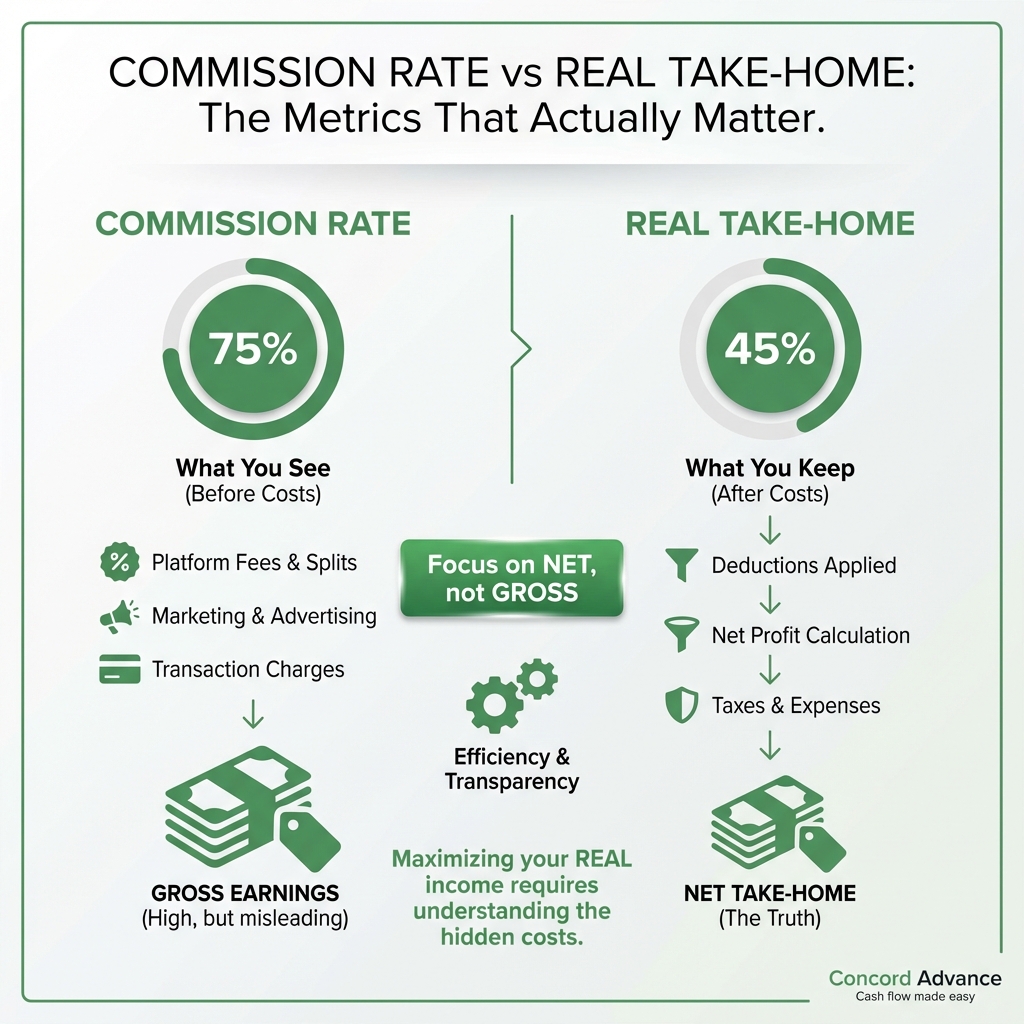
Rethinking the Commission Rate Obsession
We’ve all seen it: flashy banners at trade shows and brokerage websites touting the best realtor commission rates. “Keep more of your money!” they proclaim, referencing splits like 80/20, 90/10, or even 100/0. Understandably, high gross commission splits sound enticing. After all, if you’re bringing in thousands of dollars in commissions, why give any more to your brokerage than absolutely necessary?
But here’s the problem: too many agents assume that a better split on paper translates directly into better take-home income. The truth is more nuanced. Commission rate is only one factor in the larger ecosystem of costs and support structures that impact your actual earnings.
To truly succeed, you need to ask deeper questions. What are the monthly desk fees? What kind of admin fees are deducted on each transaction? Are you responsible for your marketing, or does the brokerage cover some of these costs? What does onboarding include? And even more importantly: what is included in the baseline “split”—does it cover tech, training, errors and omissions insurance, and transaction management, or are those all à la carte add-ons?
Let’s break this down so you can get a clearer picture of your real financial future.
Understanding Realtor Commission Rate Basics
At its core, the realtor commission rate refers to the percentage of a property’s sale price you earn as compensation. In most markets, the seller pays a standard commission—often around 5-6%—which is then split between the listing agent and the buyer’s agent. Each of those agents then shares their portion with their respective brokerages according to their agreed-upon split.
To visualize the process:
- A home sells for $500,000.
- The total commission is 6%, or $30,000.
- This is commonly split 50/50, so each agent’s side is $15,000.
But before you celebrate, remember that your brokerage will take a portion of that $15,000 based on your commission split agreement. This number is often where the discussion ends, but in reality, it’s just the beginning.
What Is a Commission Split?
The commission split refers to the percentage of the earned gross commission that an agent keeps versus what is paid to the brokerage. It is a contractual agreement between you and your broker. Common splits include:
- Traditional “full-service” brokerages: 50/50, 60/40, or 70/30
- Cap models: 80/20 or 90/10, sometimes with a cap after which you keep 100%
- Flat-fee/transaction-based: Some brokerages offer a low monthly fee or flat fee per transaction, advertising a “100% commission” model
Your split impacts your gross income from commissions, but it doesn’t tell the full story. Two agents might have the same commission split, but take home dramatically different amounts based on additional fees and expenses.
The Role of Agent Admin Fees and Transaction Fees
Many brokerages, especially those advertising high splits, offset their slimmer share by charging various per-transaction fees, monthly desk fees, or technology fees. These can sometimes add up to thousands of dollars each year, eating into what appears to be a very attractive commission split.
Common agent admin fees and cost categories include:
- Transaction Coordination Fees: These cover back-office paperwork processing and are often charged per transaction.
- Errors & Omissions Insurance Fees: Protection for mistakes in contracts or disclosures—sometimes bundled, sometimes billed separately.
- Franchise Fees: If your office is part of a national brand, part of your commission may be paid to the parent franchise.
- Desk/Technology Fees: Monthly costs for a dedicated workspace or access to digital tools.
- Administrative/Processing Fees: Catch-all line items that often appear at closing, usually ranging from $200 to $500 per deal.
- These fees vary widely from one brokerage to another, and even within the same company depending on local management and office policies.
Net Commission: The Only Metric that Really Matters
Here’s the most important takeaway: the only number that matters to you at the end of the day is your net commission—the money you actually receive after splits, fees, and required expenses.
Gross Commission Income (GCI) minus splits, franchise fees, admin fees, and other recurring costs equals Net Commission Income (NCI), your true take-home pay.
Let’s break this down further with a practical example.
Comparing Gross and Net: A Case Study
- Imagine two agents, each selling a $500,000 home at a 6% commission rate. That’s $15,000 per side.
- Agent One is at a boutique brokerage advertising a 90/10 split and charges a $500 transaction fee per deal.
- Agent Two is at a bigger brokerage with a 75/25 split, and no transaction fee but a mandatory $200 per month desk fee.
Agent One’s Take-Home:
- – Gross Commission: $15,000
- – Brokerage Split (10%): $1,500
- – Transaction Fee: $500
- – Net Commission: $13,000
Agent Two’s Take-Home:
- – Gross Commission: $15,000
- – Brokerage Split (25%): $3,750
- – Transaction Fee: $0
- – Monthly desk fee (averaged over four transactions per month): $50 per deal
- – Net Commission: $11,200
On the surface, Agent One’s higher split looks far superior, but the transaction fee narrows the gap. If transaction fees increased to $1,000, or if Agent Two sold more homes, the equation could change again.
The key point: comparing only the headline split isn’t enough; you must also factor in every fee, deductible, and monthly recurring cost to know your real earnings.
Beware “100% Commission” Models—The Hidden Costs
Brokerages touting “100% commission” may sound like an unbeatable deal, but these come with their own set of fine print. Instead of a split, you’ll pay fees in other forms. These can include:
- Transaction fees per sale
- Monthly membership or desk fees
- Annual fees
- Costs for technology, leads, or admin support
- Reduced access to marketing materials or in-house training
If you’re a highly productive, established agent who prefers total independence and can handle your own marketing and transaction management, this model might suit you. But if you value support, mentoring, or tech resources, lower splits with more perks may be a better fit.
What About Franchise Fees?
For agents at national or international franchises, you may see another deduction from your gross commission: the franchise fee. This is usually a set percentage (such as 5-8%) that comes off the top before your broker split is even calculated.
This small number, when tacked onto other costs, can take a surprising bite out of your net earnings.
How to Accurately Calculate Net Commission
Every agent should regularly evaluate the true cost of doing business at their brokerage. Here’s a step-by-step approach to determine your net commission real-world style:
- Start with your Gross Commission Income (GCI) per deal.
- Subtract your broker’s commission split.
- Subtract any transaction-specific admin fees.
- Deduct franchise or office fees, if applicable.
- Subtract your recurring monthly fees (desk, technology, marketing), prorated per transaction.
- Now, you have your actual Net Commission per transaction.
Repeat the process for an average month or year, factoring in your average number of sales, to assess your annual take-home pay.
For example, if you close two deals per month with average GCI of $12,500, a combination of splits and various fees could mean a difference of tens of thousands of dollars in net income at year’s end.
Why Focusing on Net Commission Protects Your Business
Setting aside the “split” for a moment and looking at real net earnings gives you a much clearer idea of:
- How your brokerage choice impacts your actual bankable income
- What your break-even point is each year
- Whether the promised tools, marketing, leads, or support are worth the fees
- Which expenses could be negotiated, adjusted, or dropped entirely
- Whether switching brokerages would meaningfully improve your bottom line
If you run a team, understanding these numbers is even more important—it determines what you can offer to your team members to stay competitive and profitable.
Agent Admin Fees: What You Need to Know
Admin fees are a controversial area for agents and clients alike. For agents, these fees (usually called “broker admin fee,” “processing fee,” or “compliance fee”) are often mandatory, non-negotiable costs charged per transaction. They typically range from $200 to $700, sometimes more.
Some brokerages roll other required services (such as errors and omissions insurance) into these fees, while others charge separately. Always ask for a detailed, itemized list of what is included with each fee—don’t assume anything is covered unless it’s in writing.
For clients, hefty admin fees may seem like “junk fees.” Some states regulate how, when, or if these can be charged to clients, so it’s on the agent (you) to know local rules. If clients push back, you may wind up absorbing the fee yourself.
Knowing exactly how much of your commission will be siphoned off by admin fees lets you plan your finances accurately and negotiate more effectively.
Beyond the Numbers: The Intangible Factors
While the math of commission splits and admin fees is paramount, don’t lose sight of the bigger picture. A slightly lower net commission might be justified if your brokerage offers:
- Exclusive leads or high-traffic listing opportunities
- Sophisticated CRM or marketing technology saving you time
- Premium training, mastermind groups, or career development
- Full-service transaction management reducing your workload
- A vibrant, positive culture that helps grow your network
If a brokerage’s added services allow you to close more deals, scale your business, or reduce costly mistakes, a higher cost structure can still increase your total net income. Remember: gross numbers are relatively meaningless if support structures aren’t helping you build sustainable growth.
Key Questions to Ask Before Signing with Any Brokerage
To be sure you’re optimizing your net commission and not falling prey to headline promises, ask potential brokerages the following questions:
- . What exactly is the commission split?
- . Which fees are deducted per transaction, and are they negotiable?
- . Are there monthly or annual fees? What do they cover?
- . Is there a cap, after which you keep 100% of your commission?
- . What marketing, tech, or admin support is included in the split or monthly fee?
- . Are there franchise fees? How (and when) are they calculated?
- . Can you see a sample commission breakdown for a typical transaction, including every deduction?
- . How are errors and omissions insurance (E&O), transaction management, and compliance costs handled?
- . Will you have access to in-house leads, training, or mentoring? Is there a cost for these?
Don’t be afraid to ask for a mock commission disbursement sheet or “settlement statement” with all anticipated deductions illustrated. The more transparency, the better your decisions.
Strategies to Maximize Your Net Commission
Once you’ve got the facts, there are several ways to optimize your actual take-home income:
Negotiate splits and fees: Loyalty, performance, and experience give you leverage. Seasoned agents succeeding at higher levels often receive more favorable terms.
Identify redundant costs: Are you paying for tech you don’t use? Could you find free or cheaper alternatives? Cut where possible.
Minimize admin fee exposure: If your market or brokerage allows, consider absorbing fewer admin fees yourself or negotiating them down.
Close more deals: Sometimes, volume is the only way to increase net commission significantly. But be careful—don’t burn out or compromise client service for volume.
Join or build a team: Teams can pool marketing resources, negotiate better terms with brokerages, and leverage shared transaction management staff, improving net commission per deal.
Track everything: Use spreadsheets or cloud accounting to track every transaction, split, and fee. Review quarterly to spot trends and address pain points fast.
Summary: Commission Rate Is Just the Starting Point
As a real estate professional, the difference between headline commission rates and real take-home income can make or break your financial goals. The metrics that truly matter are not just your commission split, but every hidden cost, admin fee, and service deduction that impacts your net commission.
When evaluating brokerages or designing an agent compensation plan, remember:
– Headline splits are only one piece of a complex puzzle.
– Only compare brokerages by net commission after all fees are deducted.
– Don’t ignore intangible value like culture, training, and tech.
– Regularly re-evaluate your numbers as your business grows and the market shifts.
An agent who knows their numbers is truly in control of their business destiny. With these insights and a careful eye on the metrics that matter most, you can move beyond “split obsession” and start building enduring wealth and happiness in your real estate career—one net commission check at a time.

